



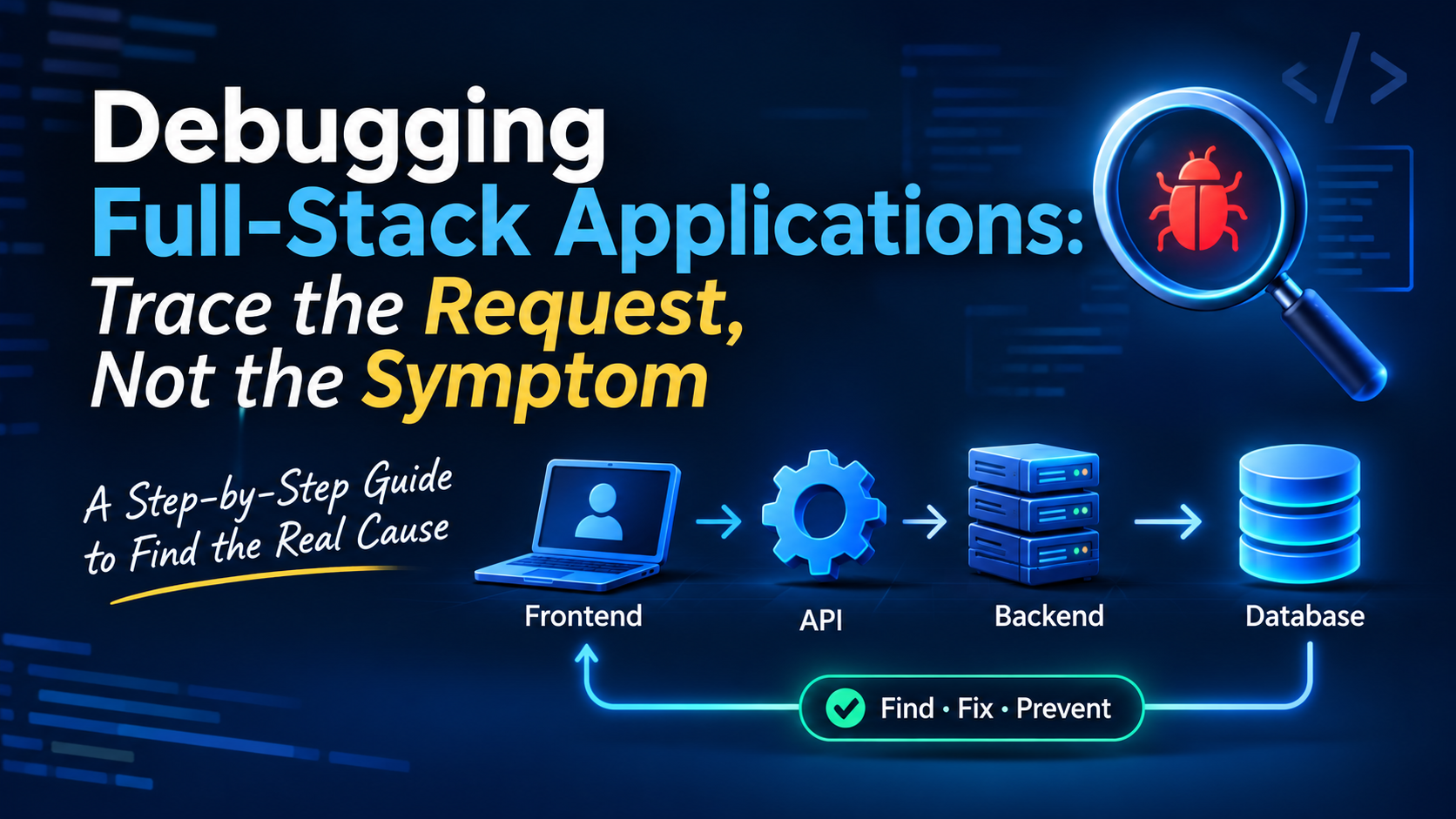
Debugging Full-Stack Applications: Trace the Request, Not the Symptom
A practical guide to finding the actual cause of bugs across the frontend, backend, APIs, and database.
Introduction
Imagine this.
You click a button to update a user's profile. The button responds, the loading indicator disappears, but the updated information never appears.
Where is the problem?
Is it a frontend state issue? Did the API request fail? Is the backend validation rejecting the data? Did the database update fail? Or did everything work correctly, but the frontend never received or displayed the updated response?
These possibilities can produce almost identical symptoms.
This is one of the most important things to understand when working with full-stack applications:
A visible bug doesn't necessarily originate where you see it.
Good debugging isn't about randomly changing code until something works. It's about following the execution path, collecting evidence, and narrowing down the actual source of the problem.
In this guide, we'll walk through a systematic approach to debugging full-stack applications.
1. Understand the complete request lifecycle
Before investigating a bug, understand how information moves through your application.
In a typical full-stack application, a request follows a path like this:
User Interaction
      |
      v
Frontend Component
      |
      v
API Service / HTTP Client
      |
      v
Backend Route
      |
      v
Controller / Handler
      |
      v
Business Logic / Service
      |
      v
Database
      |
      v
Backend Response
      |
      v
Frontend State Update
      |
      v
UI Rendering
Each stage has a responsibility.
- Frontend: Collects user input and triggers actions.
- API service: Sends requests and handles communication.
- Backend route: Directs requests to the correct handler.
- Controller: Coordinates request processing.
- Business logic: Applies application rules.
- Database: Stores and retrieves information.
- Response handling: Returns results to the client.
- UI rendering: Reflects the latest application state.
If you understand this lifecycle, you have a map to follow whenever something goes wrong.
2. Start with the actual symptom
One common debugging mistake is immediately opening the code and looking for something suspicious.
Don't start there.
First, describe exactly what is happening.
For example:
- The button does nothing.
- The request returns an error.
- The request succeeds, but the data doesn't change.
- The database contains the updated value, but the UI displays old information.
- The feature works for one user but fails for another.
These are different problems, even if they look similar from the user's perspective.
Try to reproduce the issue consistently. Identify the exact action, input, user permissions, and expected result.
A clearly defined symptom makes debugging significantly more focused.
3. Inspect the frontend first
Open your browser's developer tools and inspect the Console and Network tabs.
Start by checking:
Console
Look for:
- JavaScript runtime errors.
- Undefined or null references.
- Failed component operations.
- Unexpected state updates.
- Errors occurring before the API request.
Network
Find the relevant API request and inspect:
- Request URL.
- HTTP method.
- Request payload.
- Request headers.
- Response status.
- Response body.
- Request timing.
For example, suppose your frontend sends:
{
  "name": "Rahat",
  "email": "rahat@example.com"
}
But the backend expects:
{
  "full_name": "Rahat",
  "email": "rahat@example.com"
}
The UI might look perfectly fine, but the request contract is incorrect.
This is why inspecting the actual request is more useful than assuming the frontend is sending the correct data.
4. Follow the request into the backend
If the request reaches the server, the next step is to understand how the backend processes it.
Check the following:
Route
Is the request reaching the intended endpoint?
Authentication and authorization
Is the user authenticated? Does the user have permission to perform this operation?
Validation
Is the request payload valid? Are required fields missing? Are data types correct?
Controller and business logic
Is the expected code path executing? Are conditions, relationships, or business rules preventing the operation?
Database operation
Is the query executing successfully? Is it affecting the expected record?
Don't assume that a successful HTTP request means the business operation succeeded exactly as intended. Understand what the response actually represents.
5. Verify the database instead of trusting the response
One of the most useful debugging habits is independently verifying the persisted data.
Suppose an API returns:
{
  "success": true,
  "message": "Profile updated successfully"
}
Does that guarantee the database contains the updated information?
Not necessarily.
Check:
- Was the correct record selected?
- Was the update query executed?
- Were the expected columns updated?
- Did a transaction roll back?
- Is the application reading from the correct database or tenant?
- Is another operation overwriting the value?
Also consider whether the backend is returning cached or previously loaded data.
The response tells you what the server reported. The database helps you verify what was actually persisted.
6. Understand the difference between backend success and frontend success
This is where many confusing bugs appear.
Imagine the database has been updated successfully, and the API returns the correct response.
But the frontend still displays the previous information.
The backend might be working perfectly.
The issue could be:
- Component state wasn't updated.
- The UI is using an outdated object.
- A list wasn't refreshed after the operation.
- Cached data wasn't invalidated.
- The response structure wasn't handled correctly.
- An asynchronous operation completed in an unexpected order.
In this situation, rewriting the backend query won't solve the problem.
You need to investigate how the frontend consumes and displays the response.
This is an important distinction: successful data processing and correct UI representation are two separate responsibilities.
7. Use logs and debugging tools with a purpose
Logging is useful, but adding console statements or server logs everywhere isn't a debugging strategy.
Add targeted logs around important execution points.
For example:
console.log('Submitting profile update:', payload);
On the backend, inspect relevant request values, validation outcomes, and operation results using your framework's logging and debugging tools.
Prefer structured logs that help you understand:
- What operation was performed.
- Which execution path was taken.
- Whether validation passed.
- Whether the database operation succeeded.
- What kind of failure occurred.
Never log passwords, authentication tokens, or sensitive personal information.
In production, use appropriate logging levels and protect access to application logs.
The objective isn't to collect more logs.
It's to collect the right evidence at the right place.
8. Fix the root cause, not just the visible symptom
Let's say a page displays outdated information after an update.
You could force the page to reload after every successful request.
That might hide the problem.
But what if the actual issue is that the component never updates its local state?
A reload could introduce unnecessary requests, slow down the experience, and leave the underlying implementation problem untouched.
Before applying a fix, ask yourself:
- What exactly failed?
- Why did it fail?
- Which part of the application is responsible?
- Does the proposed fix address the cause or merely hide the symptom?
- Could this change affect other features?
A good fix should solve the original problem without introducing another one.
9. Test the surrounding functionality
Fixing the reported issue is only part of the job.
Consider what else could be affected.
For a profile update feature, you might also test:
- Updating only the name.
- Updating only the email.
- Submitting invalid information.
- Submitting empty values.
- Accessing the feature without permission.
- Handling an API failure.
- Refreshing the page after a successful update.
- Verifying the updated data in another part of the application.
These are not unnecessary extra steps.
They help ensure that your fix works within the actual application rather than only in the scenario you initially tested.
A practical debugging checklist
Before considering a full-stack bug resolved, go through this checklist:
- Reproduce the issue consistently.
- Identify the expected and actual behavior.
- Inspect browser console errors.
- Inspect the API request and response.
- Verify the backend execution path.
- Check authentication, permissions, and validation.
- Verify the database operation.
- Check frontend state and rendering.
- Identify and fix the root cause.
- Test related functionality and edge cases.
Final thoughts
As applications grow, debugging becomes less about finding a suspicious line of code and more about understanding how different parts of a system interact.
A frontend issue might originate in the backend. A database operation might succeed while the UI remains outdated. A small change in one module might affect an entirely different workflow.
That's why jumping straight to a fix can be misleading.
The next time something breaks, resist the urge to guess.
Start with the symptom. Follow the request. Verify each layer. Find the evidence.
Don't debug what you think is broken. Debug what the evidence tells you is broken.
That's a much more reliable way to build and maintain software.
If you have a different debugging approach, I'd be interested in hearing how you trace issues across the frontend and backend.
Frequently asked questions
What is the best way to debug a full-stack application?
Start by reproducing the issue and identifying the expected behavior. Then trace the request through the frontend, API, backend, and database. Verify each layer using browser developer tools, application logs, and database queries before changing code.
How do I know whether a bug is in the frontend or backend?
Inspect the browser Network tab. If the request is incorrect, investigate the frontend. If the request is correct but the response is wrong, investigate the backend. If the response is correct but the UI is wrong, investigate frontend state management and rendering.
Why does an API return success but the UI still show old data?
The backend may have completed the operation successfully, while the frontend failed to update its local state, refresh cached data, or process the response correctly. Verify persisted data and inspect the frontend response-handling logic.
Why should I verify database changes when debugging?
An API response alone does not always prove that the expected data was persisted. Checking the database helps identify incorrect records, failed updates, transaction rollbacks, and data-isolation issues.
What tools are useful for debugging full-stack applications?
Browser Developer Tools, Network and Console panels, backend logs, framework debugging tools, API clients, database management tools, and automated tests are useful. The right combination depends on the application's architecture.

Creative full stack web developer with strong problem-solving skills and expertise in modern web development technologies.