


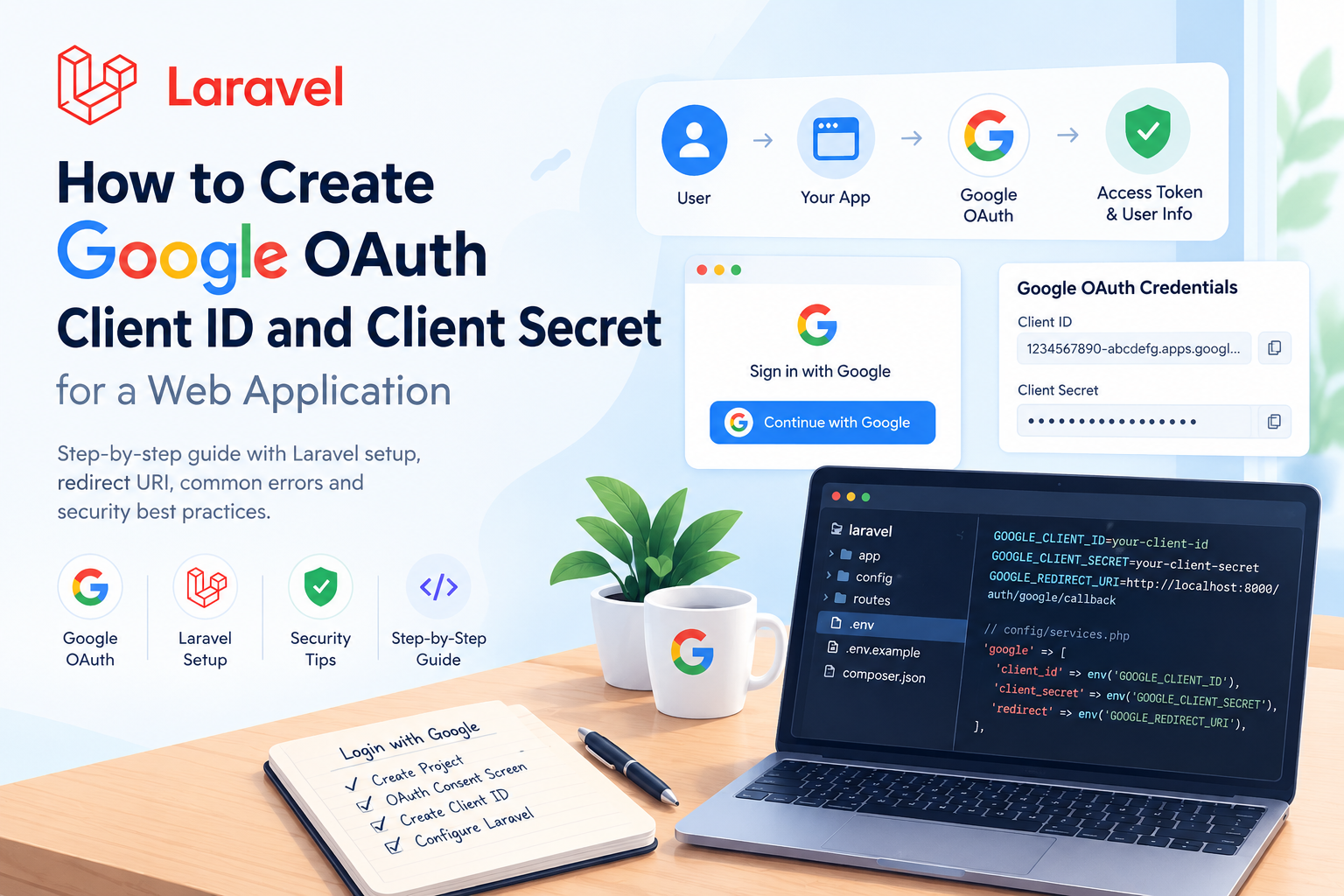
Adding “Login with Google” to a web application requires Google OAuth 2.0 credentials. The two main credentials are:
- Client ID — identifies your application to Google.
- Client Secret — authenticates your application on the server side.
This guide covers the basic setup and how to use these credentials in a Laravel application.
How Google OAuth Works
The basic authentication flow looks like this:
User
  ↓
Your Application
  ↓
Google Login
  ↓
User grants permission
  ↓
Google redirects to your application
  ↓
Application authenticates the user
Your application needs a Client ID, Client Secret, and a valid redirect URI to complete this flow.
1. Create a Google Cloud Project
First, create or select a project in the Google Cloud Console.
The project contains your OAuth configuration, credentials, and API settings.
2. Configure the OAuth Consent Screen
Configure the application's OAuth consent information, including:
- Application name
- Support email
- Developer contact information
- Required scopes
For a basic login system, request only the permissions your application actually needs.
3. Create an OAuth Client
Go to the OAuth client section and create a new client.
Select:
Application Type: Web application
Give it a meaningful name, such as:
Laravel Application
4. Add the Redirect URI
The redirect URI is where Google sends the user after authentication.
For local development:
http://localhost:8000/auth/google/callback
For production:
https://example.com/auth/google/callback
The URI configured in Google must exactly match the URI used by your application.
Otherwise, you may get:
redirect_uri_mismatch
5. Get Your Credentials
After creating the OAuth client, Google provides:
Client ID
Client Secret
The Client ID can be used by your application to identify itself.
The Client Secret must remain private and should only be used on the server side.
6. Configure Laravel
Store the credentials in your .env file instead of hardcoding them:
GOOGLE_CLIENT_ID=your-client-id
GOOGLE_CLIENT_SECRET=your-client-secret
GOOGLE_REDIRECT_URI=http://localhost:8000/auth/google/callback
Then use them in your Laravel configuration:
'google' => [
    'client_id' => env('GOOGLE_CLIENT_ID'),
    'client_secret' => env('GOOGLE_CLIENT_SECRET'),
    'redirect' => env('GOOGLE_REDIRECT_URI'),
],
After that, your authentication package or OAuth implementation can use these credentials to communicate with Google.
Common OAuth Problems
redirect_uri_mismatch
The redirect URI in your application doesn't exactly match the URI configured in Google.
Check:
httpvshttps- Domain
- Port
- Path
- Trailing slash
invalid_client
Usually indicates an incorrect Client ID or Client Secret. Check your .env values and configuration.
Security Tips
- Never commit the Client Secret to Git.
- Never expose it in frontend JavaScript.
- Use environment variables for credentials.
- Use HTTPS in production.
- Keep development and production credentials separate.
Final Thought
Setting up Google OAuth is mainly about configuring the credentials and redirect URI correctly. Once those are configured, your Laravel application can use them to implement Login with Google securely and reliably.
Frequently asked questions
What is the difference between Client ID and Client Secret?
The Client ID identifies your application to Google, while the Client Secret is a private credential used by the server.
Why am I getting redirect_uri_mismatch?
Your application's redirect URI doesn't exactly match the URI configured in the Google OAuth client.
Can I expose the Client Secret in frontend code?
No. The Client Secret must remain private and should only be used on the server side.

Enthusiastic junior full stack web developer with a strong foundation in modern web technologies. Passionate about learning, coding, and building reliable applications.